Respond faster, book smoother,
stop losing jobs you should win
Qwiclink turns every call, text, form, and message into a tracked conversation — with fast replies, clear booking paths, and tight follow-up around estimates and jobs.

Not from bad work — from slow replies, messy handoffs, and no follow-up rhythm.
The way most service teams lose work
Missed service inquiries
Calls during jobs, messages after hours, DMs that no one sees until it’s too late.
Delayed replies
By the time someone replies, the job is already booked with another company.
Weak estimate follow-up
Quotes go out, then disappear. No reminders, no nudges, no simple 'ready to schedule?'
Messy booking coordination
Technicians, trucks, and tools all juggled in separate calendars and chat threads.
Poor internal visibility
No one is fully sure what’s booked, what’s pending, and who owns the next move.
Operational calm: every request has a home, a status, and a next step.
What running on Qwiclink feels like
Cleaner request handling
Every new inquiry is logged, tagged, and assigned — no more mystery missed calls or forgotten forms.
Stronger booking consistency
A simple path from first message to booked job, with confirmations and reminders you don’t have to remember to send.
Better estimate follow-up
Quotes automatically get simple check-ins, reminders, and easy ways for customers to say 'yes, schedule it.'
Fewer missed jobs
You see what’s hot, what’s pending, and what’s gone cold — and you have flows running against each bucket.
A simple four-step path from first touch to clear next actions.
How your service flow runs on Qwiclink
Customer sends an inquiry
Call, text, form, website chat, or social message — everything drops into one shared thread.
Qwiclink replies & captures details
Auto-responses confirm you’ve got the request while structured prompts collect address, service type, and timing.
Booking / estimate path starts
Based on the job, the contact is placed into a booking flow, estimate flow, or quick-quote follow-up sequence.
Team sees next actions & status
Your team dashboard shows who is new, who is waiting on you, and which jobs are locked in.
Your setup is built around your real workflow — not a generic template.
Service businesses don’t all run the same playbook
Estimate-heavy teams
Prioritize estimate follow-up sequences and status tracking on open quotes.
Booking-first teams
Stronger booking reminders, confirmations, and reschedule flows to keep routes tight.
Technician coordination
Setups that focus on dispatch-style alerts, crew calendars, and job notes in one place.
Reactivation heavy
Build flows to bring back older leads, past customers, and stale estimates with light-touch campaigns.
You don’t have to use everything. We assemble the mix that matches your booking and follow-up flow.
What your Qwiclink service package can include
Instant replies
After-hours, in-field, and overflow responses that keep customers warm.
Request capture
Structured questions to gather service location, job type, and urgency in one go.
Booking coordination
Routing jobs to the right day, crew, and slot without a dozen phone calls.
Estimate follow-up
Light-touch sequences that keep your quotes at the top of the customer’s mind.
Reminder flows
Day-before, same-day, and 'on our way' messages that cut down no-shows and confusion.
Internal alerts
New leads, missed calls, and stalled quotes trigger clear actions for the right teammate.
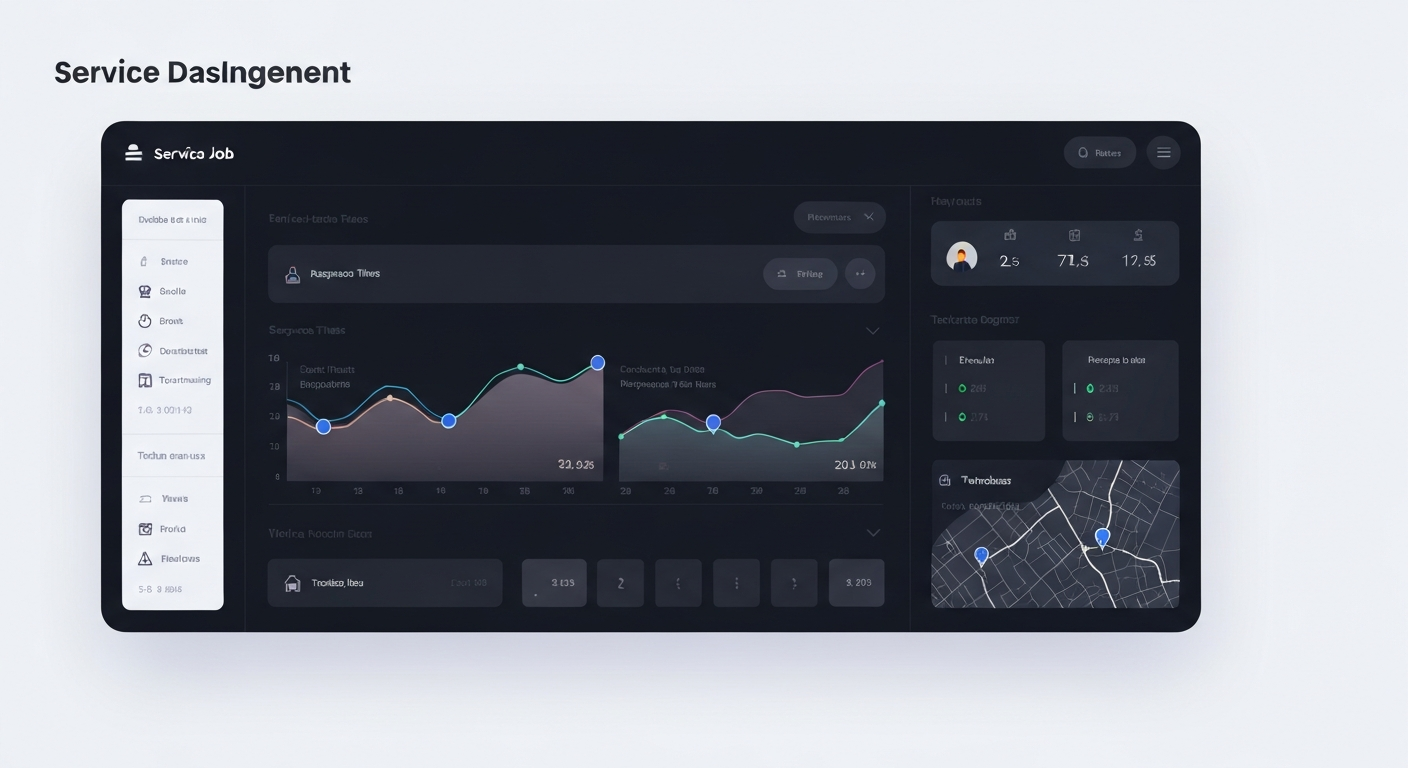
No vanity numbers — just clear signals that your service flow is getting tighter.
Operational KPIs you can actually see
Inquiry response speed
Time to first reply
See how long new calls, forms, and texts wait before they’re answered.
Booking flow
From lead to scheduled job
Track how many conversations end with a confirmed time on the calendar.
Estimate follow-up
Quote touchpoints
See which estimates have been checked in on and which are waiting.
Team visibility
Who owns what
Quickly see which team member is responsible for each lead or job.
Pick the scenario that looks closest to your business and we’ll tune your setup around it.
Built for teams like yours
Cleaning
Faster quote replies for recurring cleans and move-outs, with reminders so jobs don’t slip between visits.
Maintenance
Recurring visit reminders, asset notes, and follow-up when tenants or managers don’t reply right away.
Repair
Emergency vs routine triage, fast call-back flows, and better visibility on which jobs are still open.
Installation
Site checks, scheduling around deliveries, and tight communication before crews roll out.
Same crew, same trucks — just tighter communication and follow-up.
Before Qwiclink vs. after
Before
- Inquiries get missed when phones are in the truck or crews are on ladders.
- Quotes go out but no one remembers to nudge customers to book.
- Bookings live in multiple calendars, group chats, and sticky notes.
After Qwiclink
- Faster customer response across calls, forms, and messages — even when you’re on-site.
- More structured follow-up around estimates and open quotes, without manual chasing.
- Cleaner booking and job handling with one shared view of who’s booked, pending, or waiting.
See what your service business setup could look like
In one short walkthrough, we’ll map how you handle inquiries, estimates, and bookings today — and sketch the Qwiclink version that closes more of the work you’re already winning.